A crisis record that begins in a supervisor’s notebook, continues through text messages, and ends in a shared drive is not a record your organization can rely on. It is a reconstruction problem waiting to happen. The best crisis documentation software capabilities turn fast-moving events into a controlled operational timeline, preserving what happened, who acted, what evidence supports each decision, and what must occur next.
For corporate security leaders, HR teams, schools, executive protection details, and workplace safety teams, documentation is not administrative cleanup. It is a core response function. Clear records protect people during the event, enable informed escalation, and provide a defensible account when leadership, counsel, insurers, or law enforcement need answers.
Why Crisis Documentation Fails Under Pressure
Most organizations do not lack forms, cameras, or communication channels. They lack a single process that can capture information as conditions change. During a workplace violence concern, medical emergency, threat call, travel disruption, or executive protection incident, responders may be operating from different locations and using different tools. Details are repeated, timestamps conflict, photos are disconnected from the case, and critical follow-up actions become invisible.
That fragmentation creates operational risk. A decision-maker may not know whether a threat was assessed, whether the subject was contacted, whether a welfare check occurred, or whether an employee has been offered support. If the matter later becomes an investigation or legal claim, the organization must spend valuable time assembling a timeline from incomplete and inconsistent sources.
Effective software does not replace trained judgment, emergency protocols, or law enforcement coordination. It gives those functions a reliable system of record. The difference matters most when pressure is highest.
Best Crisis Documentation Software Capabilities to Require
A credible platform should document the full lifecycle of an incident, from initial report and triage through resolution, review, and prevention measures. The following capabilities separate an operational case-management system from a basic reporting form.
Structured incident intake that preserves context
The first report sets the direction of the case. Intake must be fast enough for a frightened employee or field responder to use, while structured enough to capture details that support triage. That includes incident type, location, people involved, immediate safety concerns, observed behaviors, reporting source, and the time the information was received.
Configurable forms are essential because a threat assessment requires different information than a slip-and-fall, a missing-person concern, or an executive travel alert. The system should also allow a responder to add narrative detail without forcing every fact into a rigid field. Structured data makes reporting consistent; narrative preserves context and professional observations.
Mobile access is particularly valuable for teams documenting events in the field. However, mobile convenience must not come at the expense of authentication, access controls, or evidence integrity.
Immutable timelines and accountable case activity
A crisis record needs more than a date stamp on the original report. It needs a running timeline that shows when information arrived, who reviewed it, what actions were taken, and how the risk posture changed. Every call, assessment, assignment, status change, note, and escalation should be attributable to a user and time.
This audit trail reduces ambiguity during handoffs. A night-shift security manager should be able to see what the day team knew, the controls already in place, and the decision that still requires action. Leaders should not have to ask for an update through a chain of emails while an active case is evolving.
Look for permission-based editing and clear amendment history. Teams need the ability to correct an entry, but corrections should not erase the original record without traceability. A defensible system preserves the history of the case rather than presenting a polished version created after the fact.
Secure evidence capture and chain of custody
Photos, videos, documents, screenshots, voice messages, access-control exports, and witness statements can materially change an assessment. The software should allow authorized users to upload and organize evidence directly within the associated case, with metadata that shows source, upload time, and handling history.
Evidence management is where generic collaboration tools often fall short. A folder may store a file, but it does not necessarily establish who collected it, whether it was altered, which case it supports, or who has accessed it. For serious security incidents, those gaps can compromise an internal investigation and weaken the organization’s ability to demonstrate reasonable action.
The right level of control depends on the organization. A small organization may need secure attachments and limited access. A large enterprise, regulated program, or organization handling sensitive investigations may require retention rules, legal holds, granular role permissions, and documented chain-of-custody controls.
Risk assessment and escalation workflows
Documentation should actively support decisions, not merely memorialize them. Crisis software should provide configurable assessment tools that help teams identify severity, credibility, target proximity, behavioral indicators, protective factors, and immediate intervention needs. In workplace violence and behavioral threat cases, this structure helps prevent important warning signs from being missed during a hurried review.
Escalation workflows should route the right information to the right people based on defined thresholds. A report involving a direct threat may require immediate notification to corporate security, HR, legal counsel, and executive leadership. A lower-level concern may need assignment to a local manager with a specified follow-up deadline. The platform should make those distinctions visible and repeatable.
Automation is useful when it enforces a tested protocol. It is less useful when it blindly treats every keyword or incident category as the same level of risk. Human review remains critical, especially when a report could lead to law enforcement involvement, employee discipline, protective action, or a major business interruption.
Task ownership, communications, and response coordination
A well-documented case can still fail if no one owns the next action. Software should assign tasks, set due dates, record completion, and preserve the operational reason for each assignment. Examples include contacting a reporting party, requesting camera footage, conducting a welfare check, coordinating travel changes, arranging protective coverage, or scheduling a threat management review.
Case-based communication also matters. When material updates remain in personal inboxes or informal group chats, teams lose visibility and create retention challenges. Documentation software should centralize relevant internal communications while allowing sensitive notes to be restricted to appropriate roles.
The goal is not to force every conversation into a system. Field teams need speed, and executives may need concise updates. The goal is to preserve decisions, actions, and intelligence that affect the safety response.
Location intelligence and situational awareness
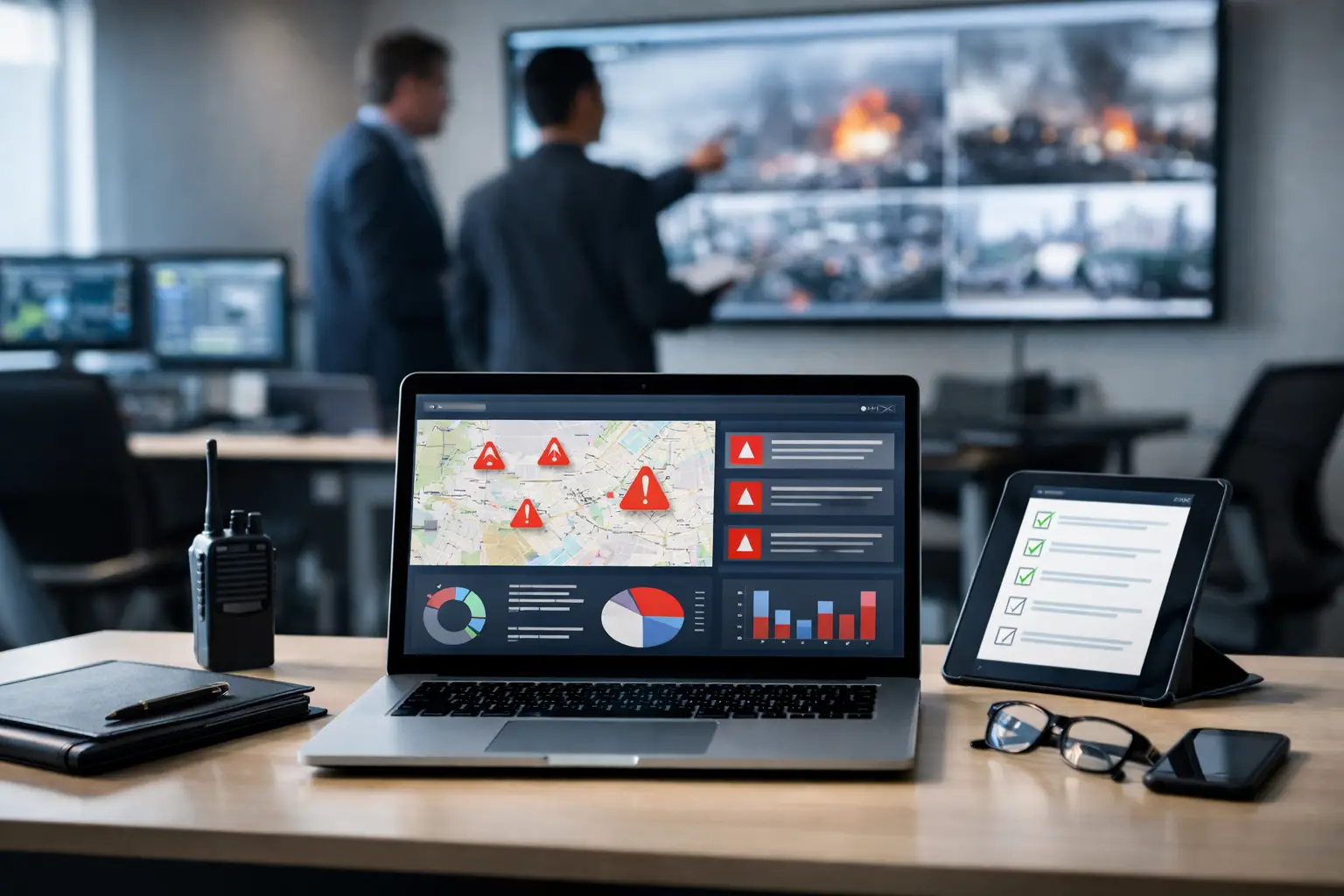
Where an incident occurs can be as important as what occurred. A reported threat near a facility, an employee stranded during civil unrest, or a developing protest near an executive event requires location-based context. Software that maps incidents, facilities, travel routes, and nearby threats can help security teams identify exposure before it becomes an emergency.
Location intelligence is most valuable when it connects to the case record. If an alert prompts a protective decision, the platform should capture the alert source, affected location, assessment, and actions taken. This creates a clear bridge between external threat intelligence and internal response.
Organizations should be cautious about collecting more location data than they can responsibly secure and govern. Privacy expectations, labor rules, and the purpose of collection should be defined before deployment, not after an incident raises questions.
Reporting, trends, and prevention intelligence
The value of crisis documentation compounds over time. Aggregated case data can reveal repeat locations, recurring behavioral concerns, response bottlenecks, gaps in training, and patterns that individual reports do not show. Leadership needs reporting that can answer practical questions: How quickly are high-severity cases reviewed? Which facilities generate the most safety incidents? Are cases being closed without documented follow-up? Where are escalation thresholds being applied inconsistently?
Analytics should support prevention, not simply create executive dashboards. If reports show a repeated issue at a location, the organization should be able to connect the finding to corrective action, whether that means staffing changes, access-control improvements, manager training, or a revised emergency plan.
Integrations and data governance
Crisis documentation rarely stands alone. The platform may need to exchange information with HR systems, security operations tools, access control, emergency notification systems, travel risk programs, or identity management systems. Integrations reduce duplicate entry and make it easier to form an accurate picture of a case.
But integration creates risk if data moves without controls. Evaluate API security, role-based access, encryption, retention settings, audit logging, and the ability to segregate sensitive case types. HR, legal, security, and privacy stakeholders should agree on who can view, edit, export, and retain incident records.
How to Evaluate the Platform in a Real Scenario
Do not evaluate crisis documentation software through a feature checklist alone. Ask vendors to demonstrate a realistic scenario from first report to after-action review. For example, a manager receives a report that a former employee made alarming statements and may be near a facility. Can the team intake the report, assess urgency, attach screenshots, identify the relevant location, assign protective actions, notify authorized leaders, and document every decision without leaving the case?
Then test the handoff. Can an after-hours responder understand the current status in less than a minute? Can counsel or a designated investigator obtain a complete record with appropriate redactions? Can the organization identify similar prior cases without exposing unrelated confidential information? These questions reveal whether the system supports operations or merely stores data.
Risk Shield is built around this operational standard: verified intelligence, coordinated response, and centralized case records that help teams move from fragmented reaction to disciplined protection.
The right platform will not make crises predictable. It will ensure that when the next critical report arrives, your people can act with clearer intelligence, documented authority, and a record that stands behind every protective decision.
