A security dashboard should not be a wall of charts that looks useful until a real incident starts. The best incident response dashboard examples give operators an immediate answer to four questions: What happened? Who may be at risk? What action is required now? Who owns it?
For corporate security teams, HR leaders, executive protection details, and emergency managers, the dashboard is a command surface. It must turn scattered alerts, field reports, camera requests, employee check-ins, and external threat intelligence into a disciplined operating picture. The design matters because delayed triage, unclear ownership, or an overlooked escalation can create avoidable exposure.
What an Incident Response Dashboard Must Deliver
A useful dashboard supports the incident lifecycle, not just the first alert. That means it must help teams detect developing risk, prioritize credible threats, coordinate a response, preserve documentation, and identify patterns after the event is closed.
The right configuration depends on the environment. A global enterprise may need regional threat visibility and travel risk monitoring. A workplace violence team may need rapid access to behavioral threat assessment findings, prior reports, and case status. An executive protection operation may need live location context, protective intelligence, and welfare-check status. One dashboard cannot serve every role equally well, but the underlying operational standard is consistent: show the information needed for the next decision, not every piece of information available.
1. The Executive Security Posture Dashboard
Leadership does not need a queue of raw alerts. It needs a verified view of exposure, operational readiness, and decisions requiring executive sponsorship.
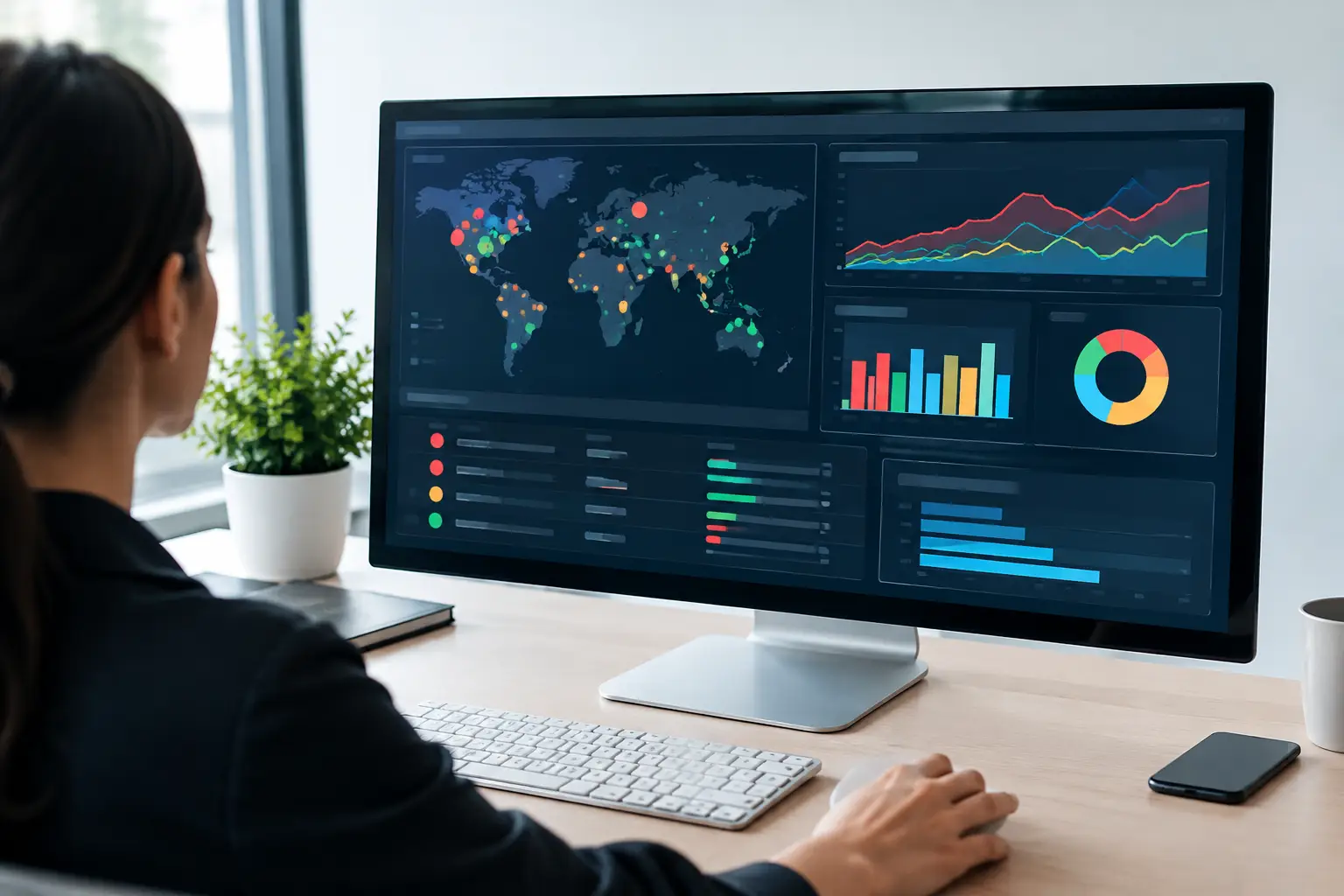
This dashboard should show open critical incidents, active disruptions by location, high-risk travel or events, incident severity trends, and cases that have exceeded response or closure targets. A simple geographic view can show where risk is concentrated, but the map should be paired with plain-language context. A red marker without a status, owner, and recommended action creates anxiety rather than control.
For example, a chief security officer reviewing the dashboard on Monday morning may see three open incidents: a credible social-media threat directed at a senior leader, a weather-driven facility closure, and a labor demonstration near a regional office. The dashboard should identify the accountable team, current protective posture, next review time, and whether leadership intervention is needed.
2. The Live Incident Command Dashboard
During an active event, teams need an operational dashboard that changes as facts are confirmed. Its purpose is coordination under pressure.
Place incident status, severity, affected locations, incident commander, response objectives, and the current action log at the top. Below that, show assigned personnel, outstanding tasks, welfare-check results, communications status, and verified updates from the field. Time stamps are essential. A report with no clear time can cause responders to act on information that is already outdated.
Consider an active threat report at a large workplace. The command dashboard should separate confirmed facts from unverified reports, record when law enforcement was notified, identify evacuation or shelter-in-place status by building, and flag employees who have not responded to a safety check. It should also retain evidence uploads, call notes, and decisions in the same case record.
Avoid crowding this view with long-term metrics. In a live response, the team needs decisive information and a clear chain of action. Historical trend analysis belongs elsewhere.
3. The Triage and Escalation Queue
Most incidents do not begin as clear emergencies. They begin as reports, alerts, tips, concerning behavior, or incomplete field observations. A triage dashboard prevents the highest-risk items from disappearing into a general inbox.
Organize the queue by risk level, confidence, aging, location, target or protected person, and required escalation. Give analysts enough context to make a defensible judgment without opening multiple disconnected systems. That can include source reliability, linked prior cases, relevant threat indicators, proximity to a protected site, and any immediate safety concern.
A practical escalation model may distinguish between monitor, assess, urgent review, and immediate response. The labels matter less than the operating rules behind them. Each level should trigger clear expectations for analyst review, notifications, supervisory approval, and documentation.
This is where AI can help reduce noise by clustering related reports, detecting duplicate events, and surfacing unusual patterns. Human verification remains critical when the outcome could affect employee safety, law enforcement engagement, disciplinary action, or executive movement. Automation can prioritize. Qualified personnel must validate material risk.
4. The Workplace Violence Case Dashboard
Workplace violence prevention requires continuity. A single concerning report may not justify a major intervention, but repeated indicators across time can reveal escalation that isolated records conceal.
This dashboard should center on the case, not the alert. Show the subject, reporting history, behavioral indicators, assessment status, protective measures, case owner, review dates, and outstanding actions. Access controls are especially important. Sensitive HR, legal, medical, and investigative information must be available to authorized decision-makers without being broadly exposed.
For a threat assessment team, the dashboard can show whether a subject has made direct threats, demonstrated fixation, violated a no-contact directive, or appeared near a protected location. It should also document interventions, such as an employee assistance referral, security accompaniment, access changes, or coordination with local authorities.
The trade-off is privacy versus visibility. Overly broad access can create legal and ethical risk. Overly restricted access can prevent teams from seeing the full pattern. Define role-based permissions and document why each user needs access.
5. The Location Risk and Travel Dashboard
Risk does not stop at the facility perimeter. Executives, traveling employees, field teams, and families may face threats shaped by weather, civil unrest, crime, transit disruptions, or targeted activity near their destination.
A location-based dashboard should show active incidents near monitored sites or itineraries, travel risk levels, route disruptions, relevant alerts, and the status of personnel requiring contact. Filters should allow a protection team to focus on a single principal, city, event venue, or region.
For instance, if a protest develops near an executive’s hotel, the dashboard should connect the event to the itinerary, identify proximity and likely impact, record the protective team’s assessment, and track whether the route or schedule changed. Generic alerting is not enough. The value comes from translating a developing event into a specific operational decision.
6. The Executive Protection Operations Dashboard
Protective details need a different level of granularity than senior leadership. Their dashboard should support advance work, current movements, protective intelligence, communications checks, and contingency planning.
Useful elements include itinerary milestones, principal and team check-in status, venue assessments, open intelligence leads, route concerns, emergency contacts, and assigned protective responsibilities. A secure SOS function can also feed directly into the operational view, giving the team a fast path from a distress signal to location context, contact attempts, and escalation.
Do not confuse constant data collection with protection. Location sharing and monitoring should have defined consent, retention, and access policies. The objective is proportionate protection based on credible risk, not unnecessary surveillance.
7. The Evidence and Documentation Dashboard
A response can be operationally sound and still fail under review if the record is incomplete. Evidence dashboards help teams preserve what was known, what was done, and why decisions were made.
This view should track uploaded photos, video, statements, screenshots, call logs, chain-of-custody information, retention requirements, and missing documentation. It should also show approval points for significant decisions, especially when an incident involves an employee complaint, threat assessment, use of force, or external agency coordination.
A centralized case file reduces the risk of critical material being trapped in personal inboxes, text messages, or separate spreadsheets. It also supports cleaner handoffs between shifts, legal teams, investigators, and security leadership.
8. The After-Action and Prevention Dashboard
Closed incidents are a source of preventive intelligence. An after-action dashboard should show response times, recurring locations, incident categories, repeat subjects, false-positive rates, unresolved corrective actions, and lessons that require policy or training changes.
The most valuable metric is not always the number of incidents. A rise in reports may indicate worsening risk, but it can also mean employees trust the reporting process and are identifying concerns earlier. Read the data alongside operational context.
Track corrective actions to completion. If repeated incidents show that a parking area lacks lighting, visitor screening is inconsistent, or employees do not know how to report concerning behavior, the dashboard should keep that exposure visible until an owner resolves it.
Design Principles That Keep Dashboards Operational
Effective dashboards are role-based, time-sensitive, and built around action. They use consistent severity definitions, show data freshness, preserve source context, and make ownership unmistakable. They also avoid a common failure: treating every alert as equal. A credible, time-sensitive threat near a protected person must rise above low-confidence background noise.
Risk Shield applies this operating model by combining AI-driven monitoring with human-verified analysis, centralized case management, location-based visibility, and response workflows. The goal is not more alerts. It is a clearer, faster path from emerging risk to protective action.
Build the first dashboard around the decisions your team repeatedly struggles to make under pressure. Then test it during exercises, review it after real events, and remove every field that does not help someone protect people, property, or operations.
